Helping factories



plan smarter
move faster
cut delays in production
 with Ziso Zero
Helping factories
plan smarter
move faster
cut delays in production
ZISO Zero powers Zetwerk’s $10B manufacturing network, with 100+ projects monthly, tracking suppliers, materials, and production timelines. I led the redesign of ZISO Zero, rebuilding it as a flexible system that unites planning, tracking, and delivery across Zetwerk’s operations.
My Role
Senior UX Designer
Timeline
5 months
2021
Company
Impact
+236 % Adoption
Team
Senior Product Designer (myself)
2x Product Manager
3x Planning Engineer
4x Program Managers
5x Developers
3x QA

WHY MANUFACTURING PRECISION MATTERS?
Every delay costs more than time
ZISO Zero was designed for a single business unit but couldn’t flex with new workflows. As more teams joined, planners struggled to fit their processes into a one-size system, leading to frustration, lost time, and disconnected data.
Each team had different needs, but one shared problem: the system’s structure could not match the pace of manufacturing.
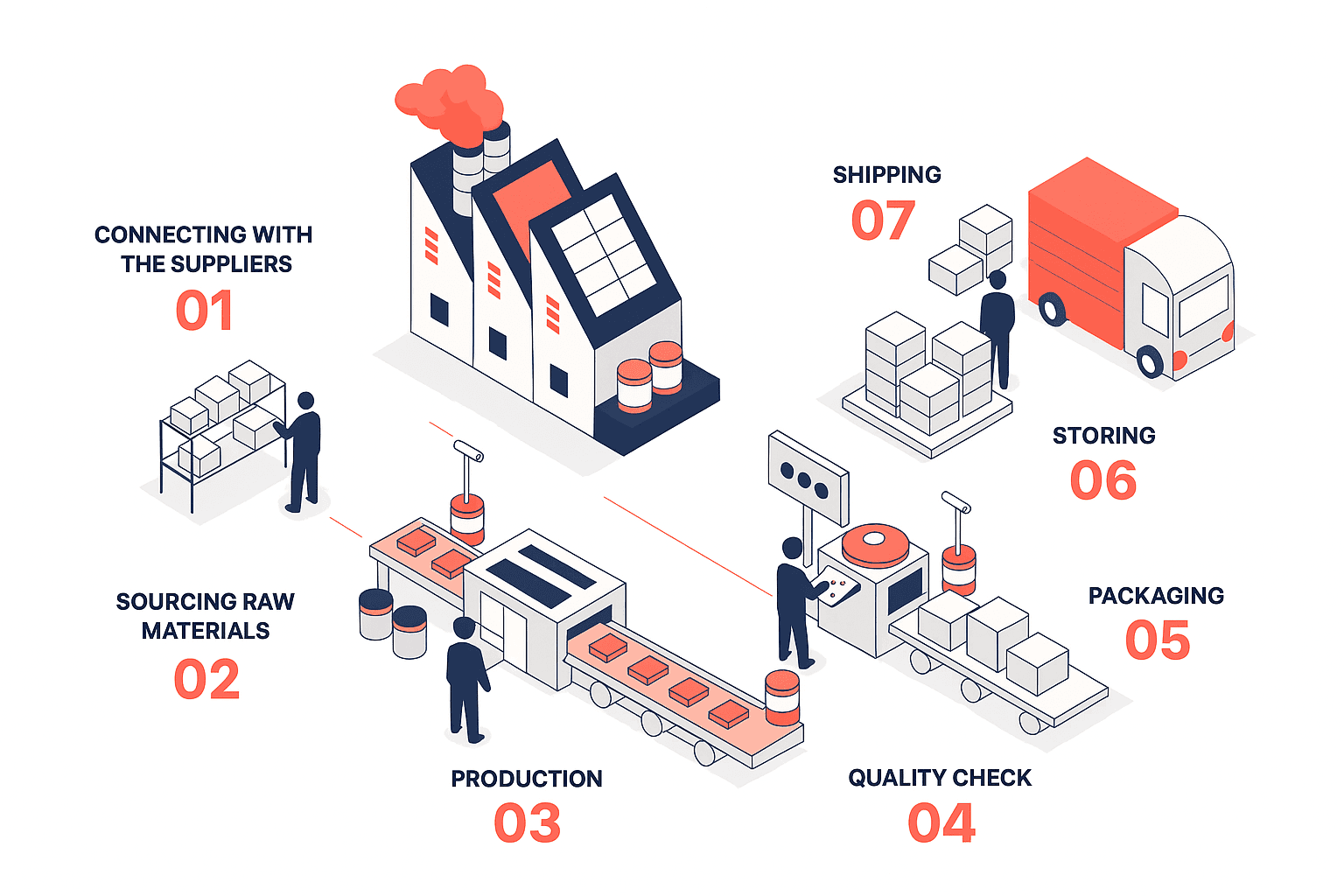
PROBLEM
A system built for structure couldn’t scale with speed
ZISO was designed for a single business unit and couldn’t flex with new workflows.
As more teams joined, planners struggled to fit their processes into a rigid structure.
The result was lost time, disconnected data, and frustration across units.
Interviews across four operational barriers that limited adoption:
6
hrs
PLANNING ENGINEERS
Spends on creating “dummy lots” to track a single item.

2
days
PROGRAM MANAGERS
Relied on Excel and WhatsApp for visibility, delaying updates by 1–2 days.
65%
Contracts
OPERATIONS TEAM
Couldn’t assign multiple suppliers to different manufacturing stages, causing coordination gaps across production lines.

16%
PROJECTS
Fully tracked inside ZISO.
The rest existed in scattered sheets and emails.
SOLUTION
Rebuilding ZISO as a flexible and
modular system
ZISO 2.0 was redesigned to scale horizontally while preserving manufacturing precision.
01
Bulk Create and Track
I designed Bulk Create to help planners define and modify multiple lots at once, reducing setup time across orders.
An Excel-compatible interface mirrored existing habits while automating validations, letting teams upload and track thousands of items in one go.
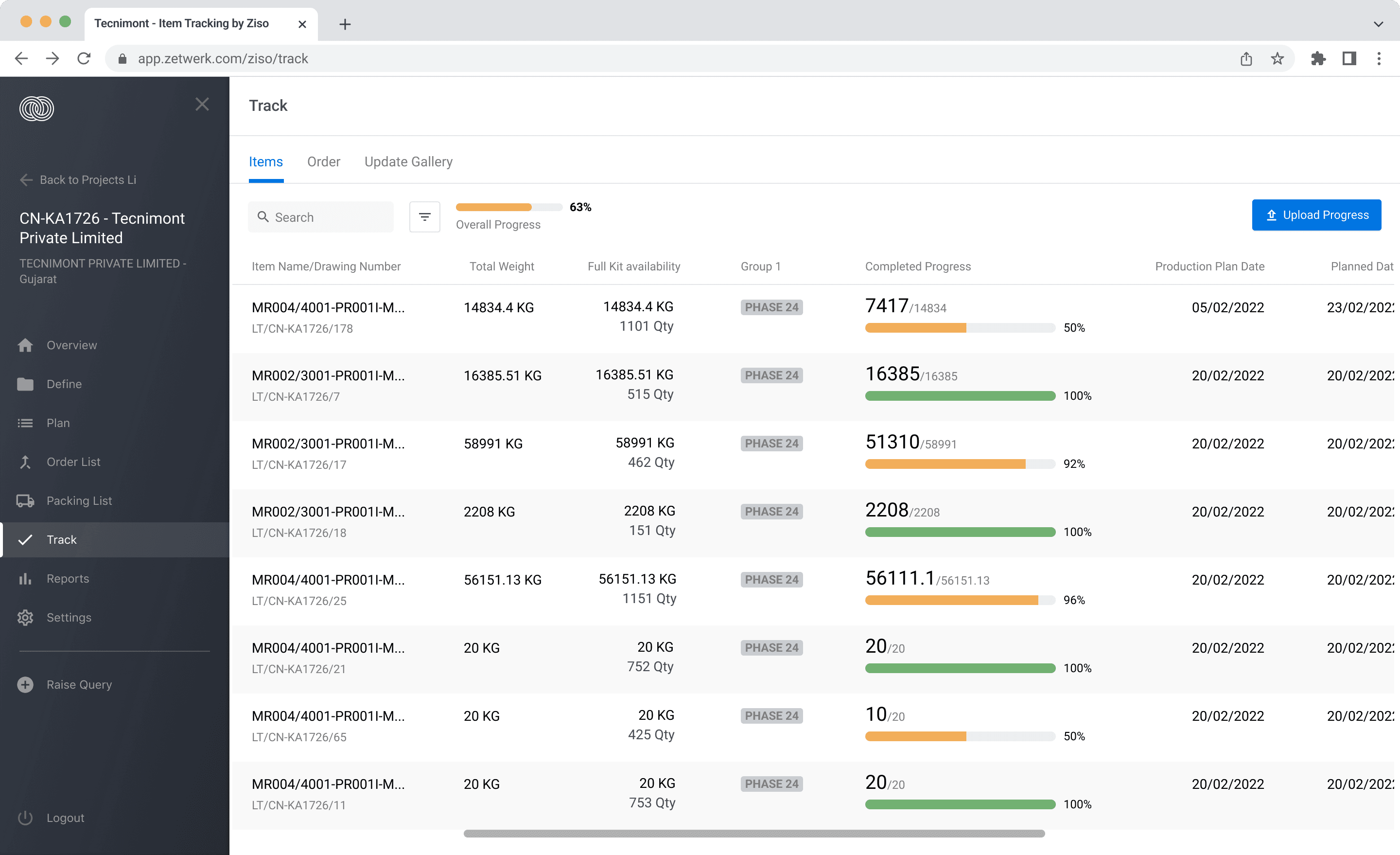
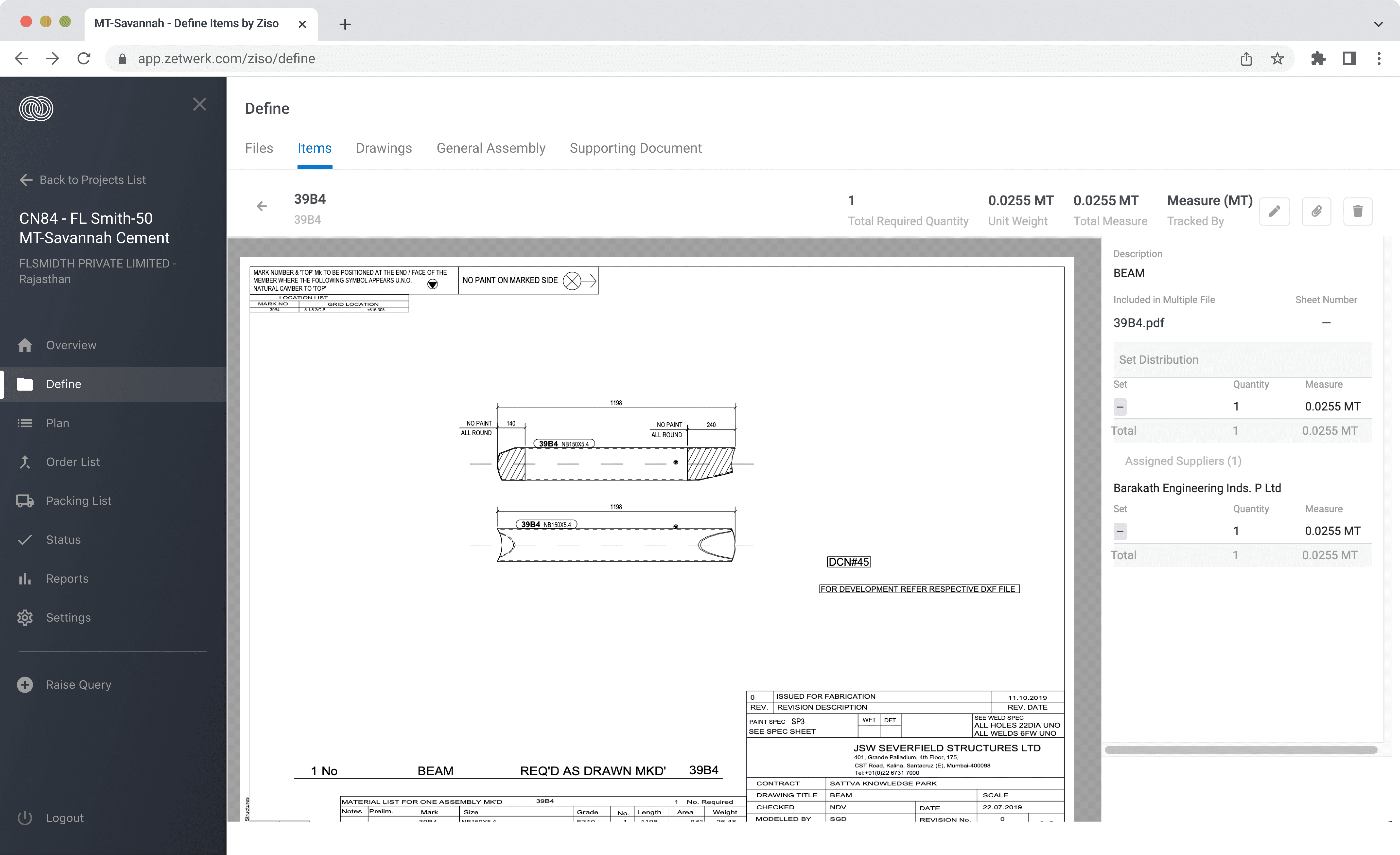
Teams needed a faster way to define and modify multiple lots simultaneously.
02
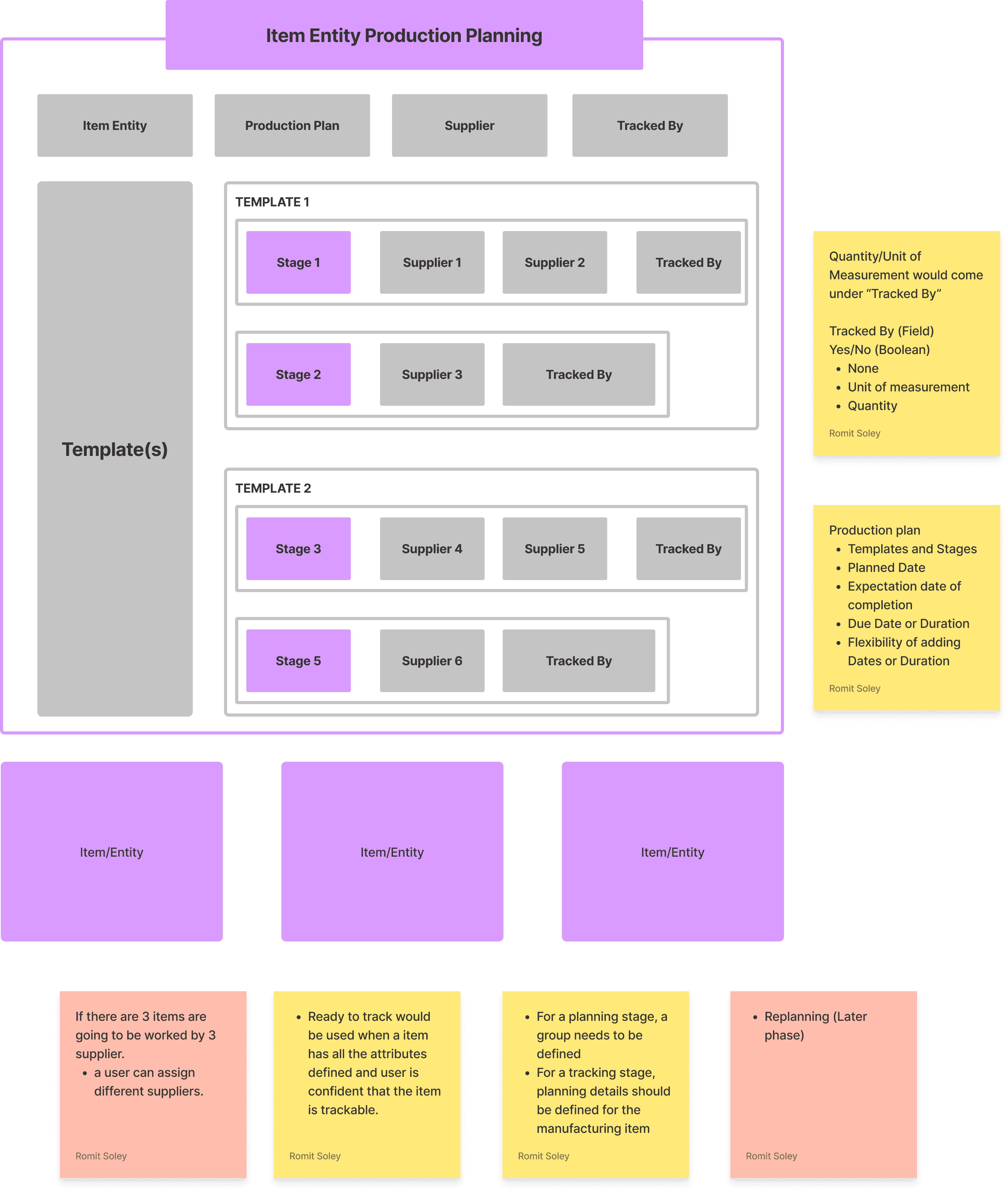
Item-Level Planning
I introduced Item-Level Planning so teams could manage small runs independently without disrupting entire batch schedules.
Planners could now create, allocate, and track items individually. Each stage of production could be linked to a different supplier and order, cutting setup time per contract
from 40 minutes to 12 minutes.
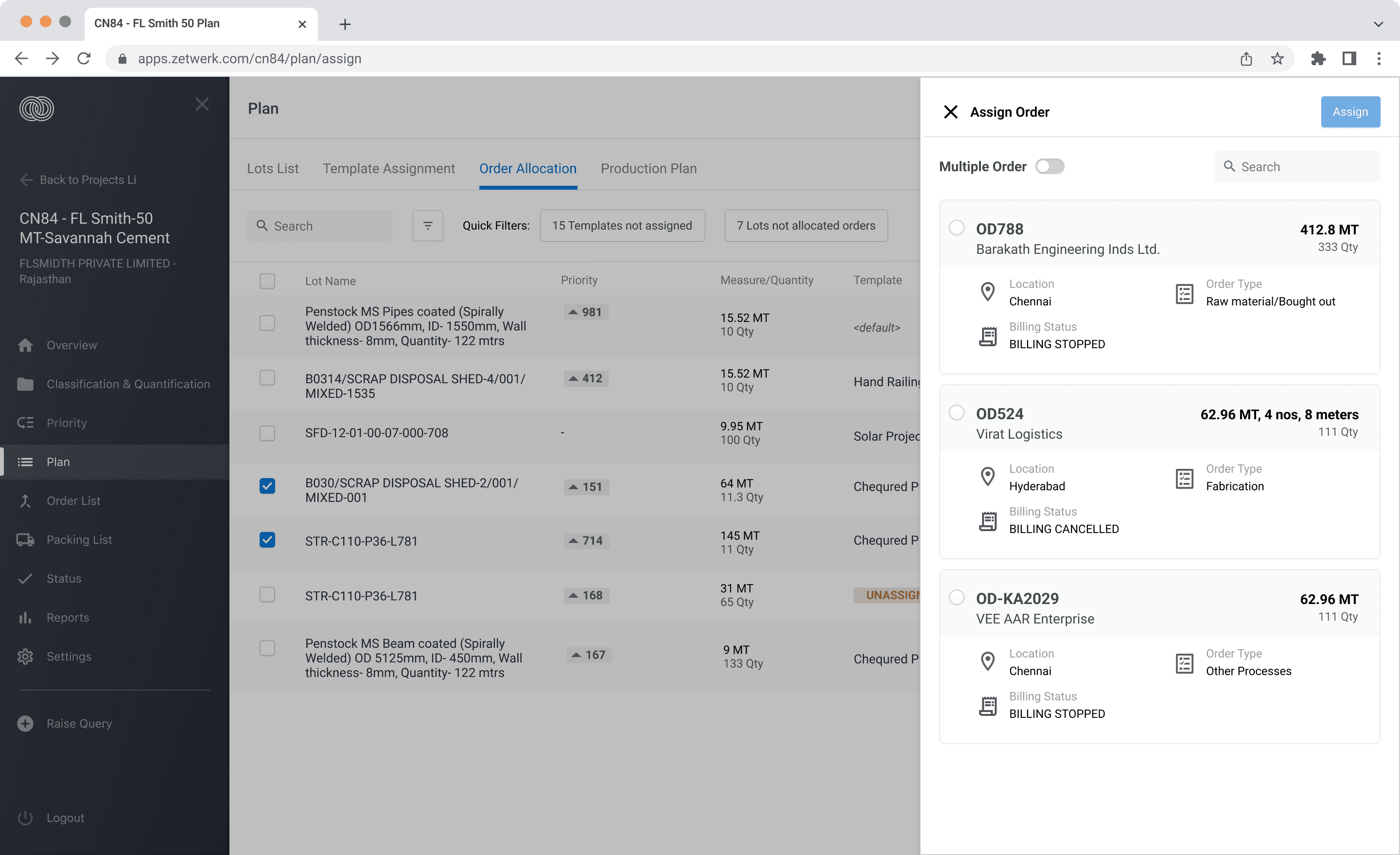
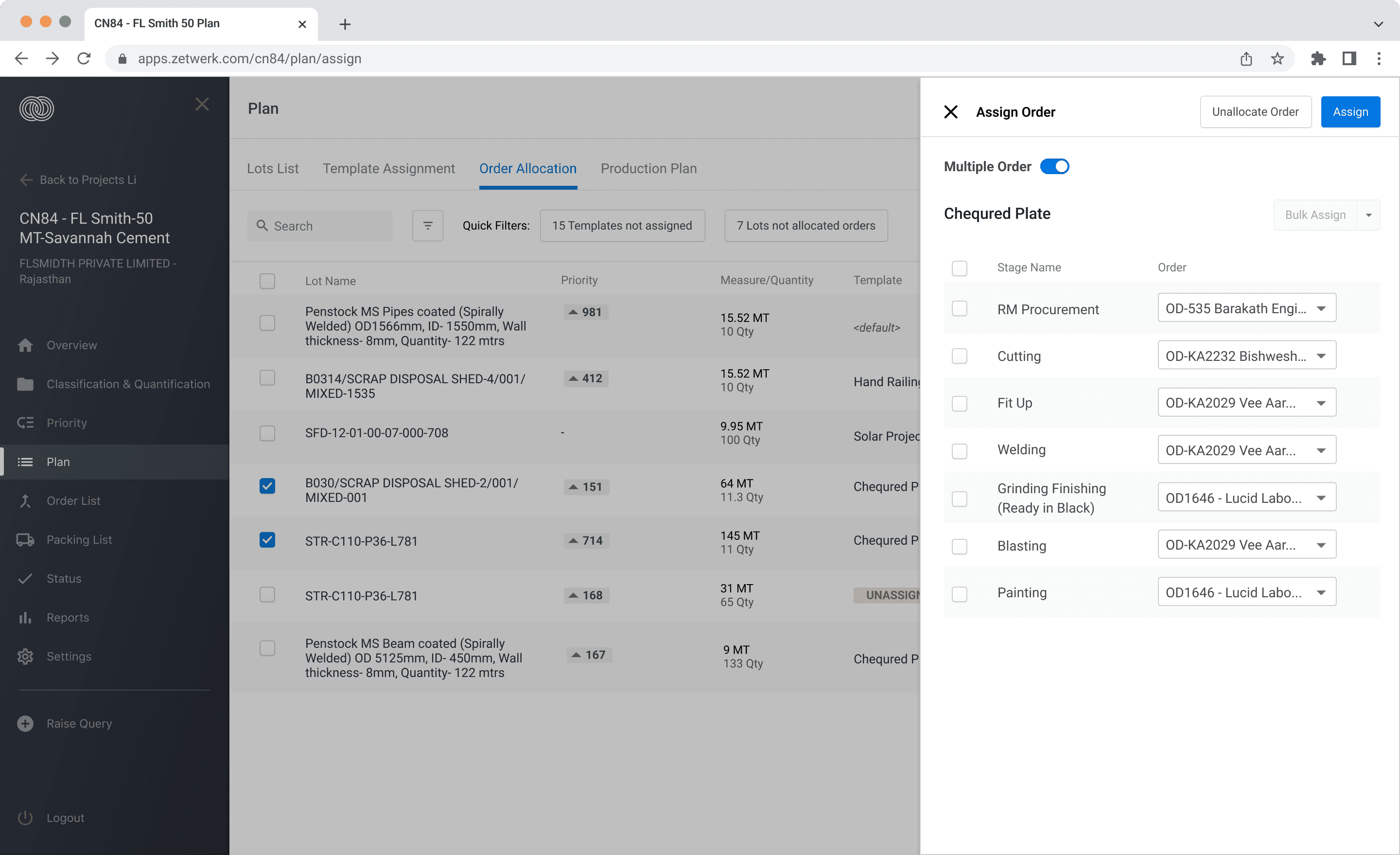
Planners wanted finer control to adjust smaller orders without affecting entire batches.
03
Modular Architecture
I restructured ZISO as a modular system to let teams scale, customize, and work across multiple business units with shared visibility.
All actions were reorganized into four modules: Configure, Define, Plan, Track, reducing cognitive load and onboarding time for new users by 70%.
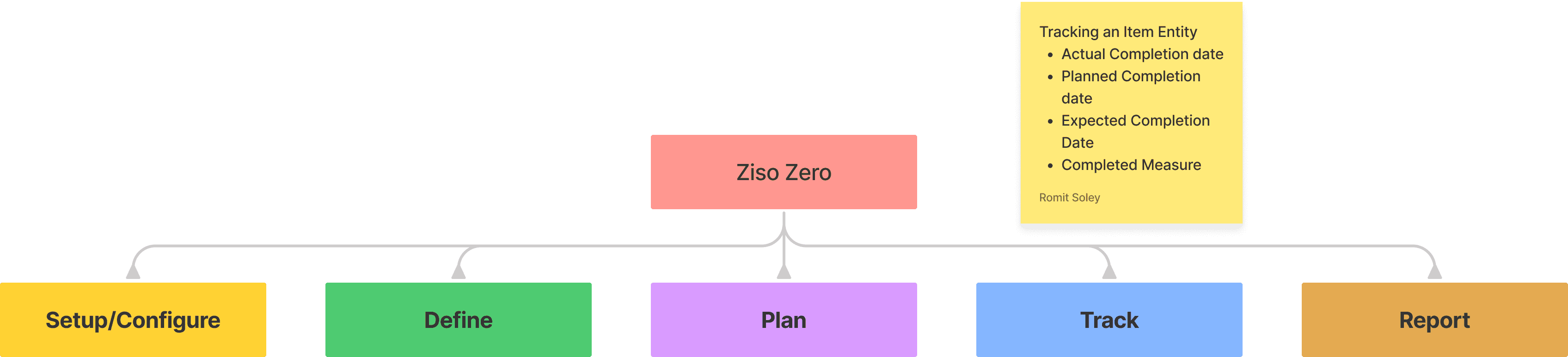
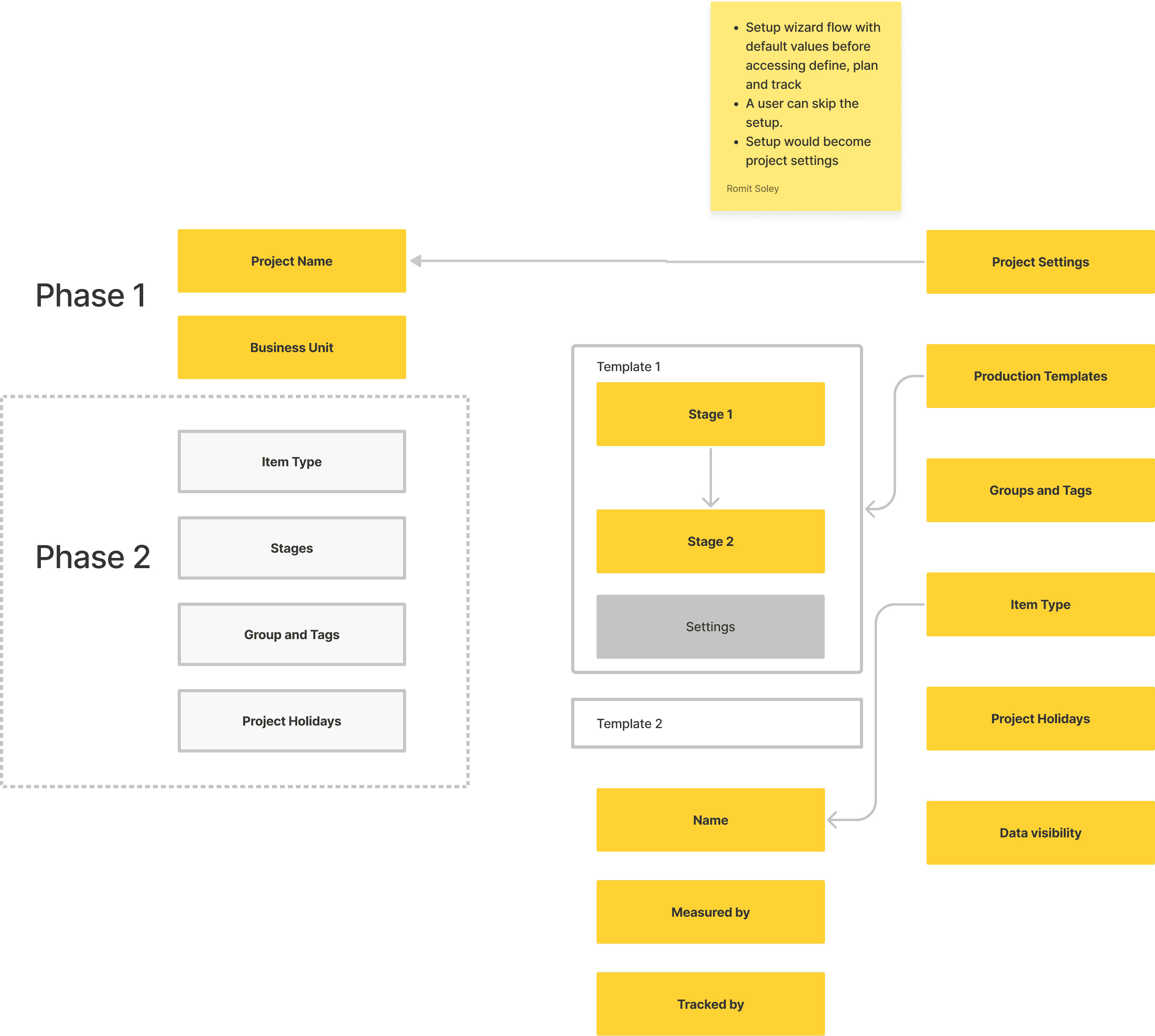
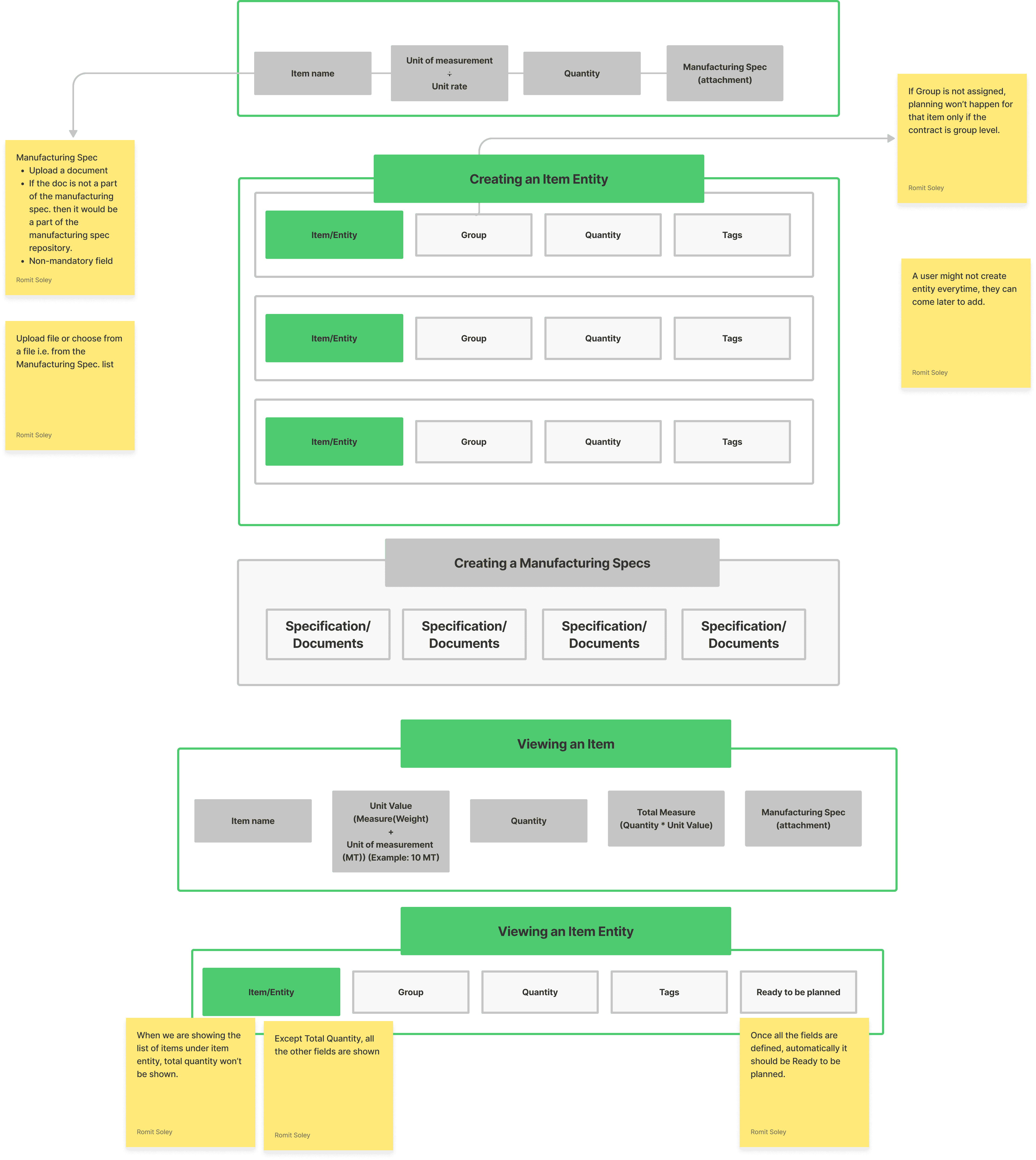
We restructured ZISO as a modular system so teams could scale and customize faster.
IMPACT
Precision turned into measurable progress
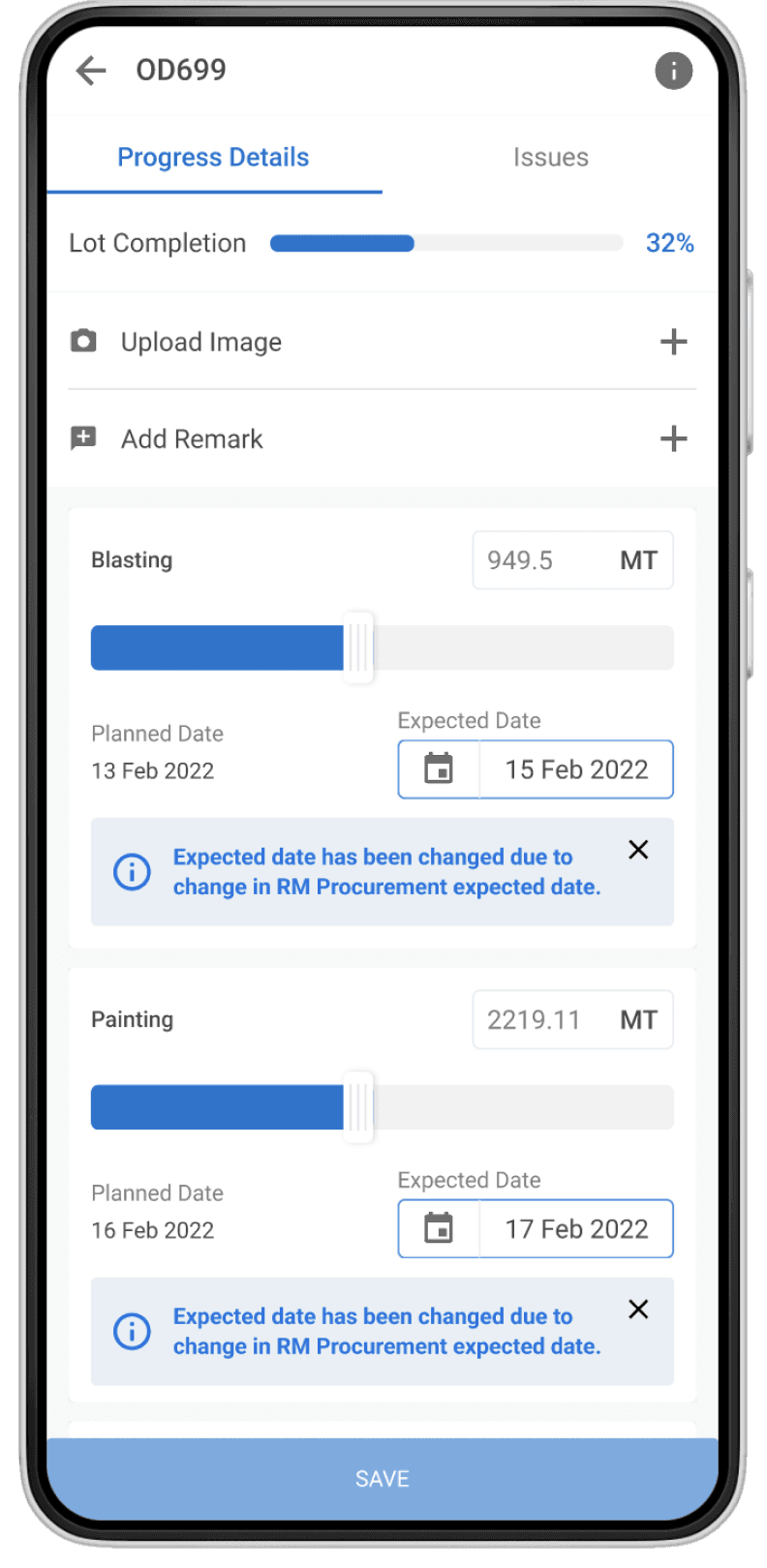
For the first time, planners, program managers, and leadership shared a single, real-time source of truth.
+236
%
Teams across five BUs adopted ZISO within one quarter
+48
%
Manual QA checks dropped by almost half
70
%
New users completed setup tasks in under
2 hours
HOW DID WE GET THERE?
Process
I worked closely with engineers to validate every change through weekly design–dev syncs and workflow reviews. Each discovery informed design refinements that simplified flows, automated dependencies, and prioritized visibility over control.
Workshop
Setup
OUTCOME
Aligned roadmap for Phase 1
DURATION
3 hours
TOOLS
FigJam
Excel
PRD
UXR
Systems Audit
Diary Study
Secondary Research
Usability Study
PARTICIPANTS
2x PMs
3x Planning Engineer
5x Developers
3x QA
During development, several deeper systemic issues emerged:
SYSTEMS AUDIT
Fragmented Execution
Disconnected stages and siloed tools made end-to-end production tracking slow and error-prone. Tracking gaps increased setup time by 3–5 days per project and
forced 65% of teams to rely on manual workarounds.
DIARY STUDY
Reactive Decision Loops
Teams relied on delayed updates, forcing them to respond reactively rather than plan proactively. Decisions lagged by 18–24 hours, leading to ~12% slower order completion and missed delivery windows.
SECONDARY RESEARCH
Template Fatigue
Rigid input forms and repetitive setup steps slowed new project onboarding and adoption. 69% of project setups required manual data entry, increasing setup time by 30–40%
per order.
USABILITY STUDY
Dependency Overload
Supplier and internal updates depended on manual coordination, creating workflow bottlenecks. Only 16% of projects had complete tracking, resulting in ~22% reporting discrepancies and delayed issue detection.
These recurring inefficiencies shaped the strategy for ZISO Zero, helping me prioritize what to fix first.
Strategy & Planning
After collecting evidence from multiple teams, I translated research insights into a clear plan focused on priority and impact.
EXPERIENCE STRATEGY
Designing flexibility into factory planning
I defined ZISO’s structure as four modular layers — Configure, Define, Plan, and Track.
This modular setup made it easier to scale horizontally and onboard new business units.
Each layer worked independently while sharing data seamlessly across the system.
Configure
BU level settings to allow smoother and faster setup of projects on ZISO
Define
Defining the various attributes of the item to be used during planning and tracking
Plan
Plan out the entire item journey from raw material to the finished good complete with process, timeline, etc.
Track
Compare the progress of the item against the set plan
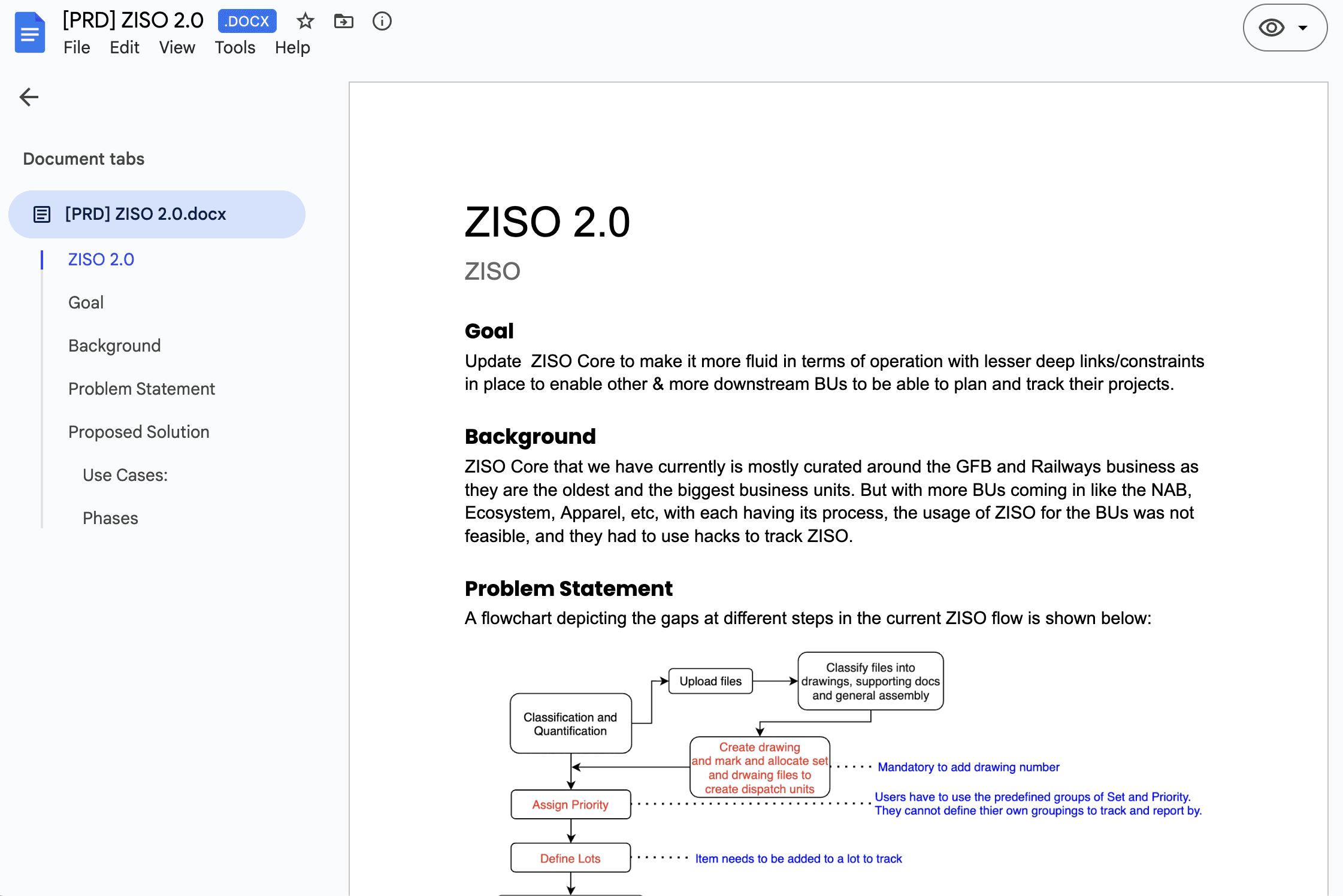
Using insights from the ZISO 2.0 PRD, I reframed the goal from improving accuracy to enabling flexibility so every business unit could plan differently without rebuilding the system each time.
INFORMATION ARCHITECTURE
Simplifying supplier coordination
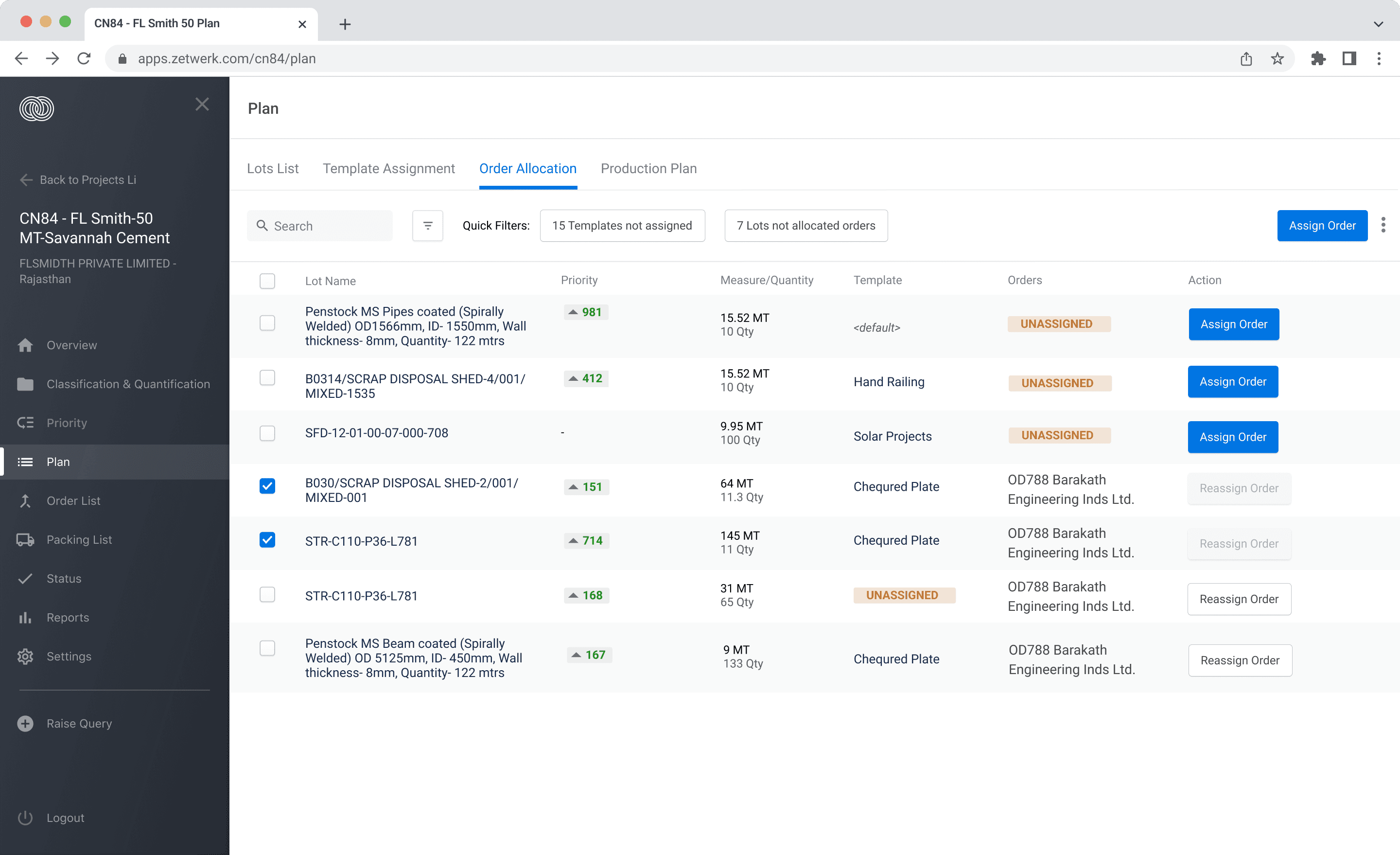
Reviewing the Planning Module PRD revealed deep dependencies between supplier assignment, template setup, and production planning.
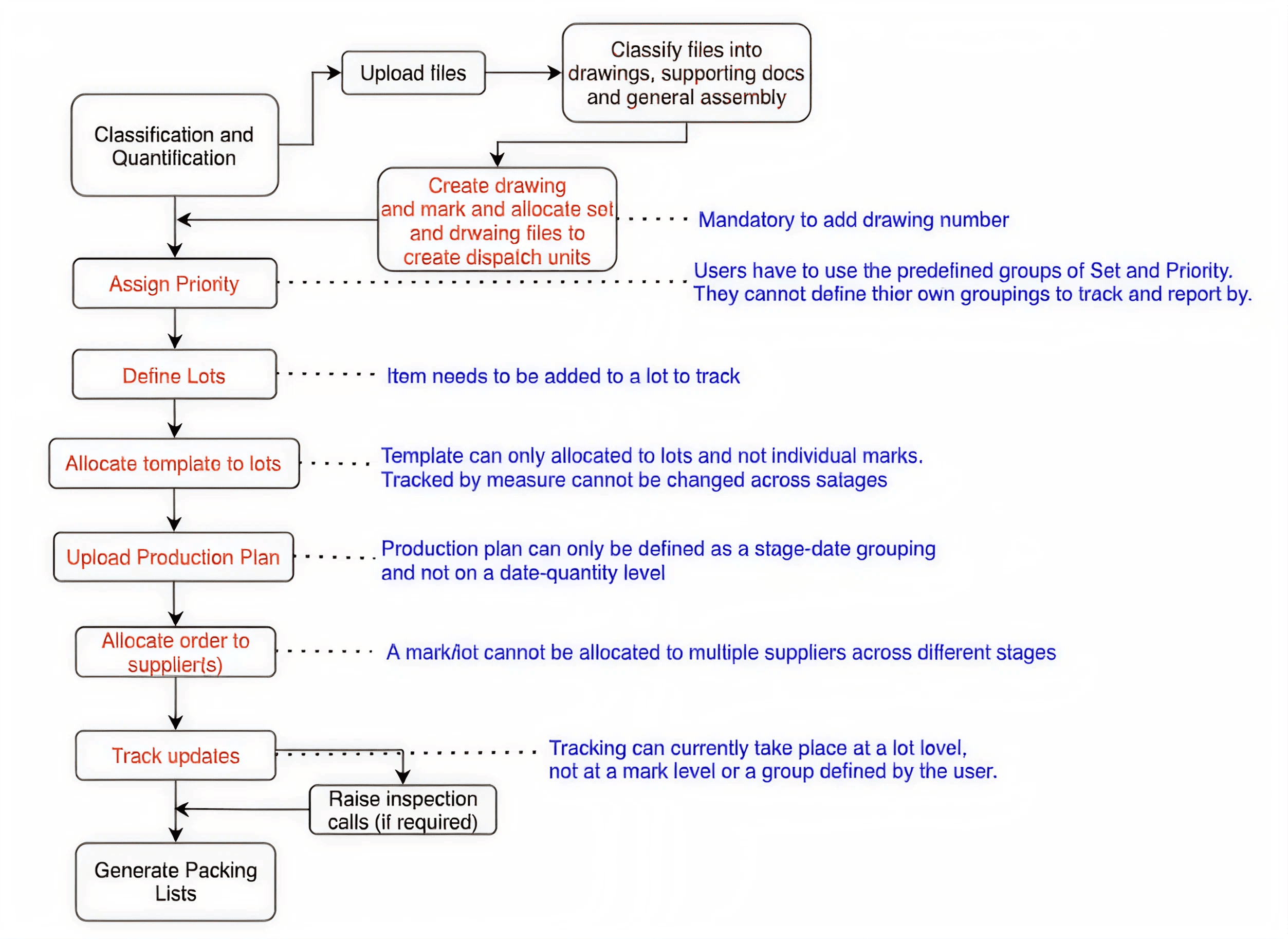
A visual dependency map helped identify where users got trapped in redundant steps.
I restructured the flow to allow stage-level order allocation, making supplier coordination faster and easier to manage.
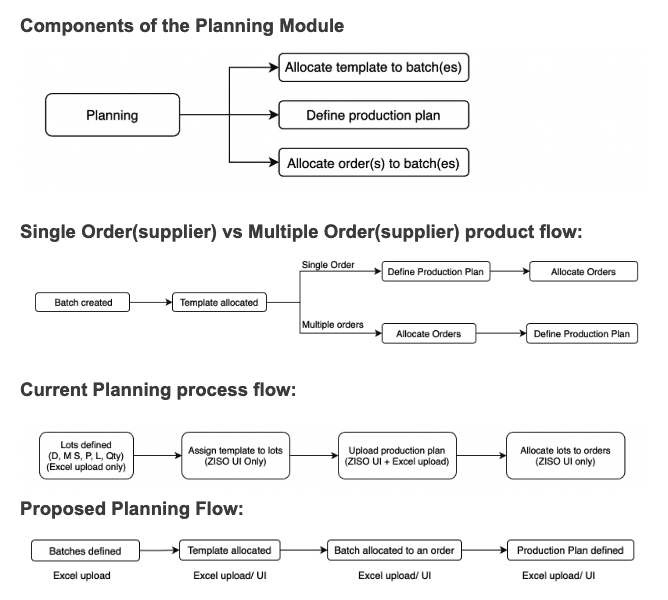
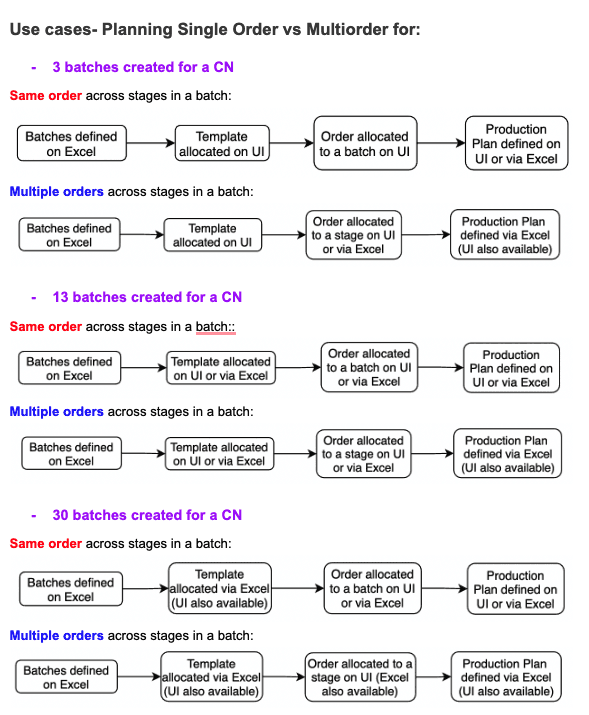
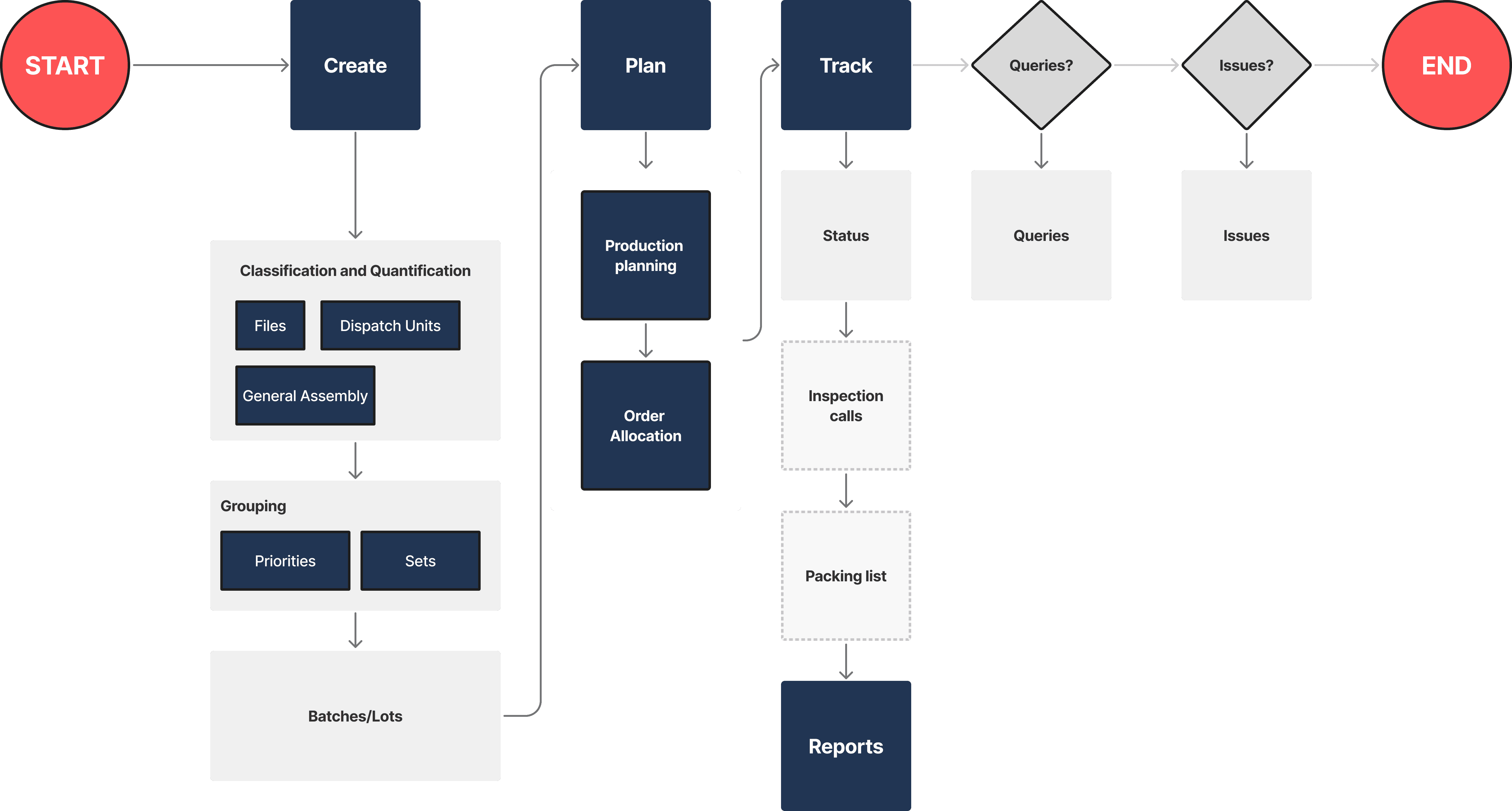
This simplified architecture later became the backbone for ZISO’s planning experience.
ROADMAP DEFINITION
Focusing on adoption levers
While reviewing the ZISO 2.0 backlog, I led a strategy session to prioritize features by operational value. We focused on item-level tracking, multi-supplier allocation, and modular configuration, the three design levers most likely to boost adoption.
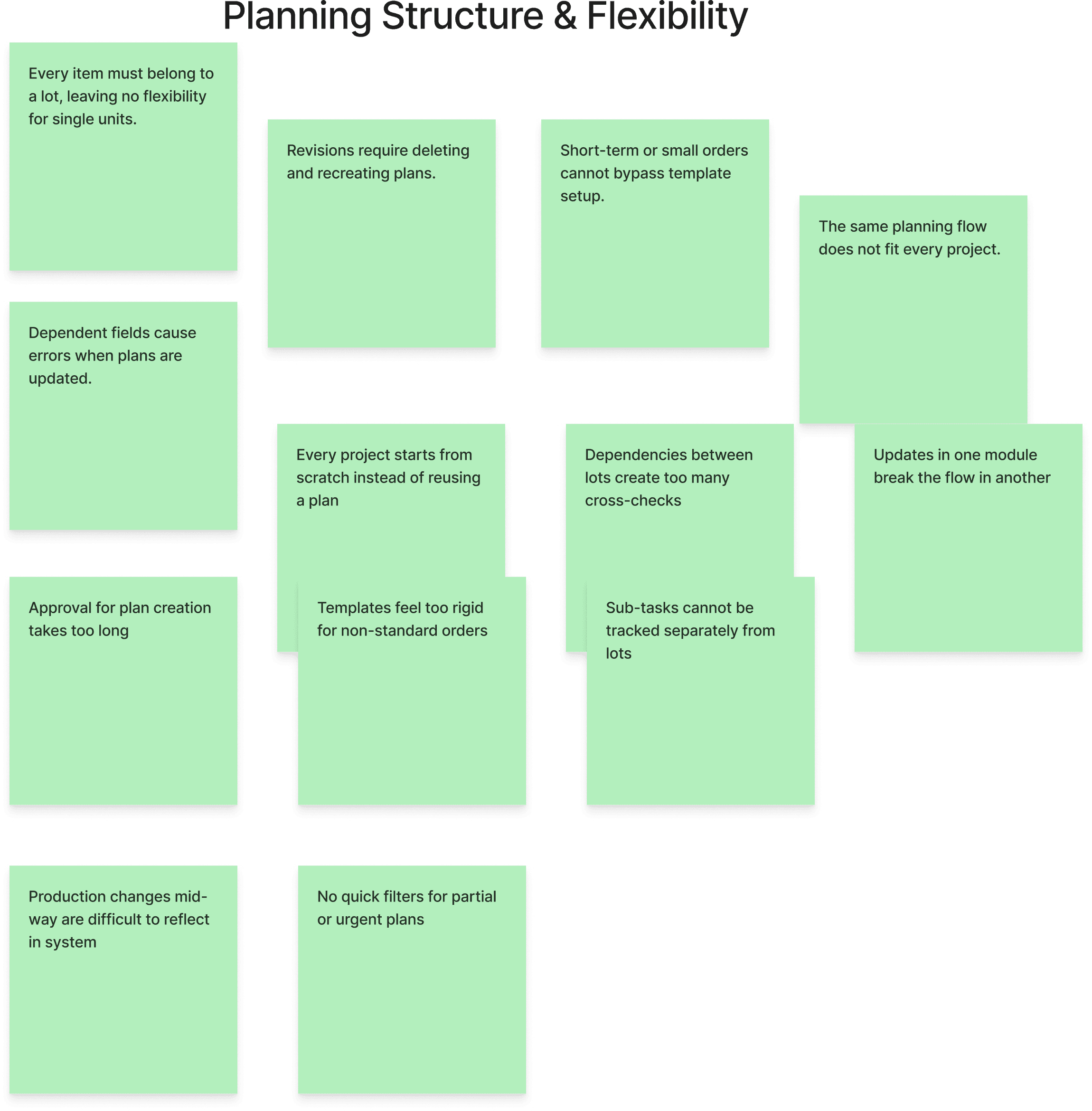
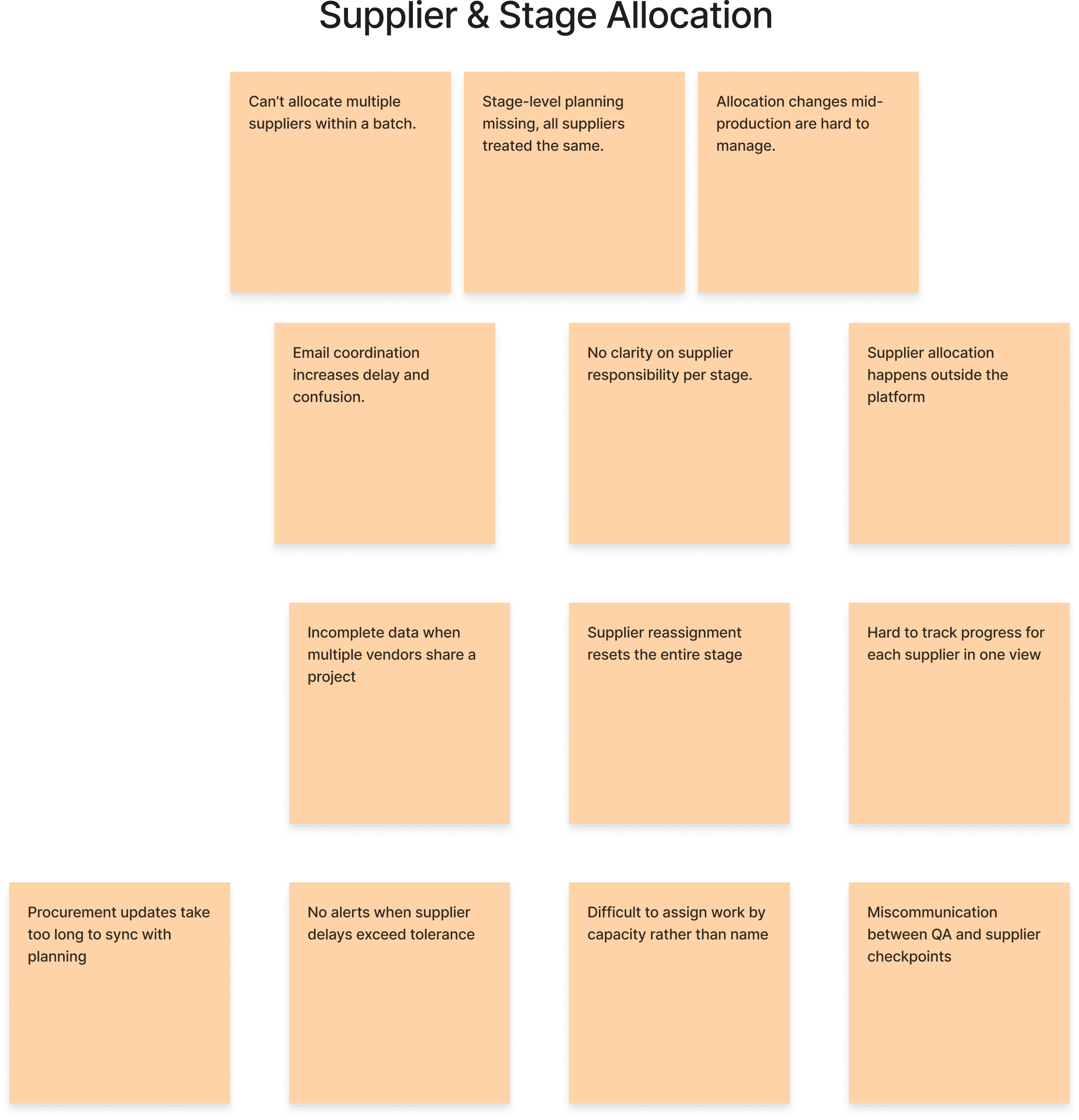
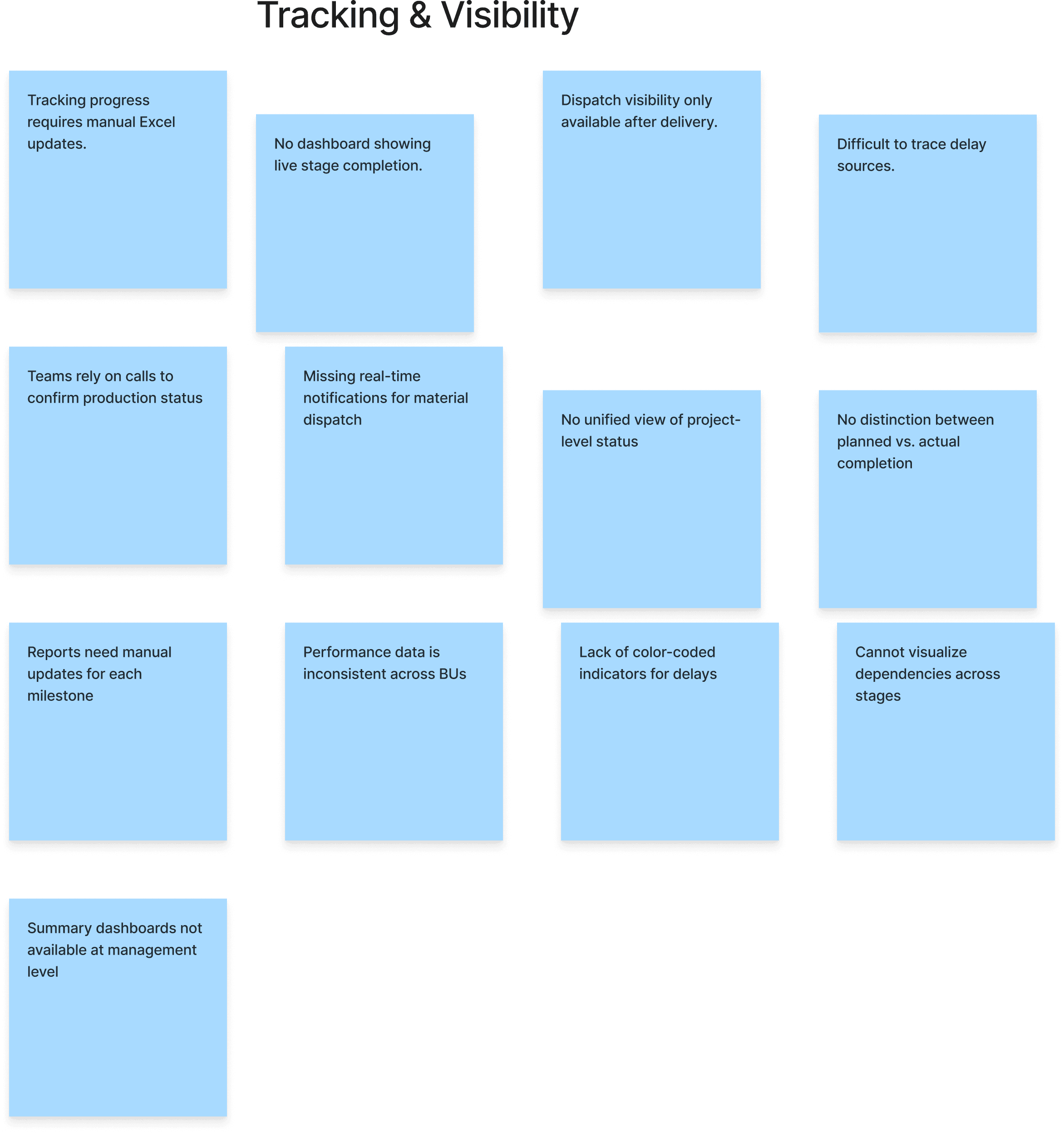
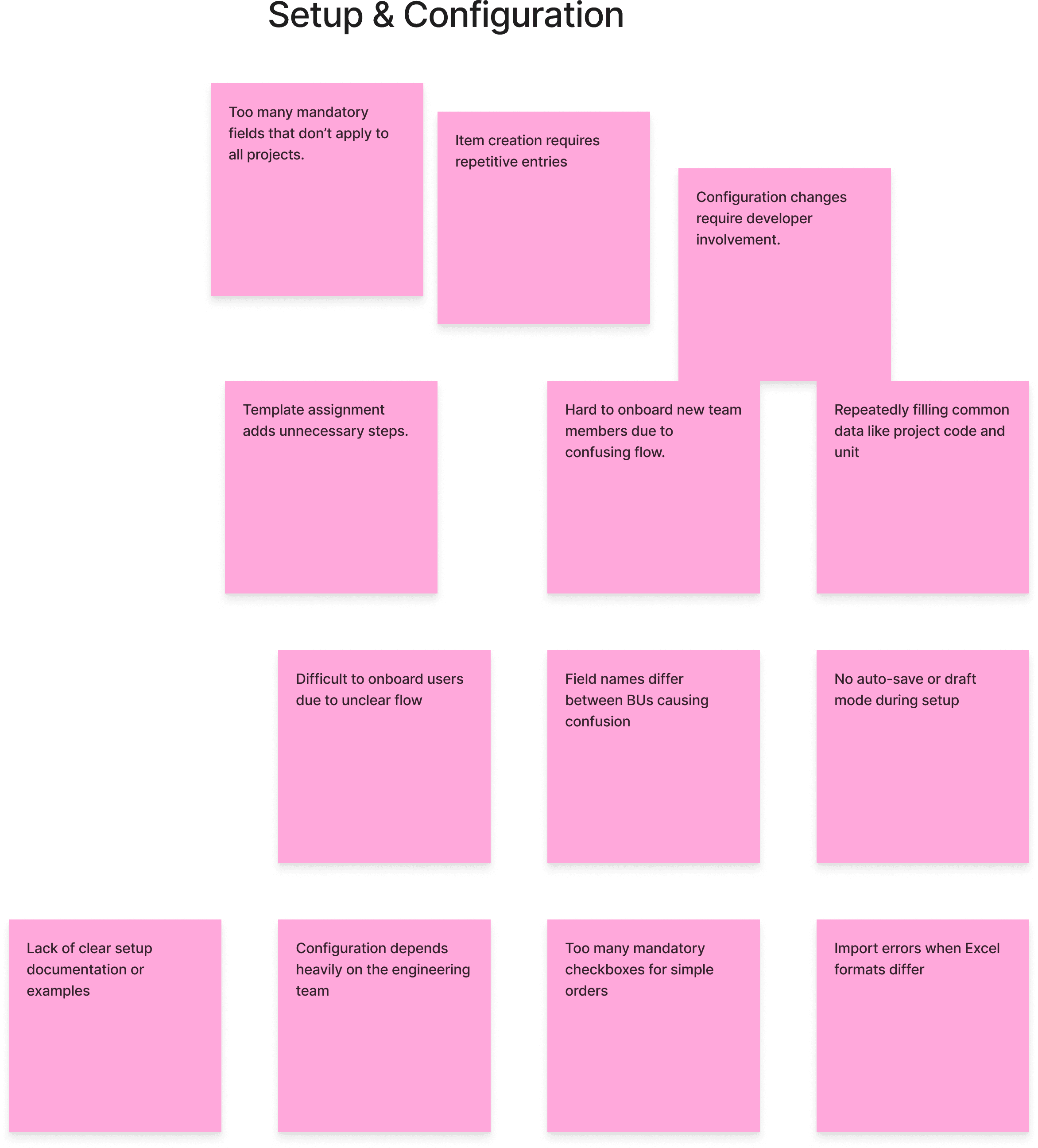
Participants used FigJam to capture operational pain points from their daily workflows.
Over 60 insights were gathered and grouped into four validated clusters derived from the Planning Module and PRD documents.
PHASE 1
Planning
Enabled item-level planning to remove rigid lot limits
Separated template setup, order allocation, and planning steps for speed
Introduced stage-based allocation to share batches across orders
Simplified item creation to cut manual entry and setup time
Accelerated onboarding for new business units
PHASE 2
Configure and Reporting
Designed custom dashboards for real-time performance tracking
Strengthened transparency and adaptability across operations
Enabled split tracking for dispatch and exception handling
Created workspace views tailored to each role
Added configurable settings at the business-unit level
Lower-impact features such as advanced reports were moved to later phases, allowing early pilots to validate results faster across two business units.
CROSS-FUNCTIONAL ALIGNMENT
Creating a shared language for manufacturing data
Each business unit (fabrication, precision, and assembly) tracked production differently, which made it difficult to decide what to build first.
Using insights from the PJM Q4 Planning document, I facilitated a session with planners, engineers, and managers to align roadmap priorities. Each initiative was scored for impact, feasibility, and scope, creating one shared roadmap.
+48
%
Fewer reporting discrepancies
+30
%
Faster feature
rollout approval
100
%
Alignment on
Phase 1 priorities
We scored initiatives by impact, feasibility, and scope, then mapped them into quarterly phases. This collaboration aligned expectations across teams, reduced dependency conflicts, and created a consistent foundation for future ERP integration.
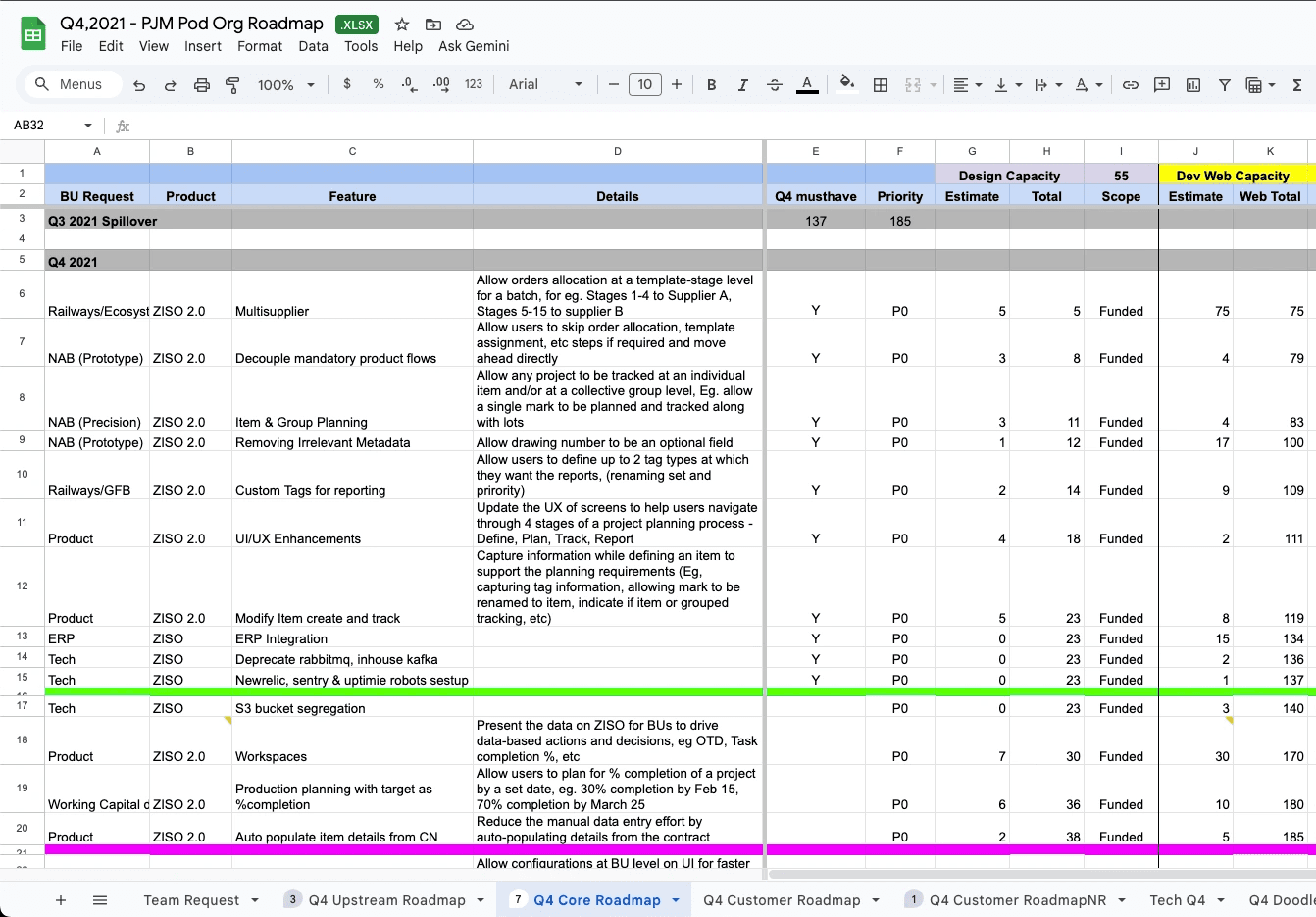
Roadmap created using inputs from the PJM Q4 Planning document.
Each feature was ranked by impact and feasibility to balance capacity and business priorities.
Ideation
After aligning on priorities, I focused on exploring how ZISO could evolve into a faster, more connected workflow across planning, tracking, and reporting.
CONCEPT GENERATION
Exploring new ways to plan at scale
We began ideation by using rough Excel layouts instead of traditional sketches. This allowed us to quickly test how item-level and stage-based planning could work within the existing system.
By experimenting with data relationships and workflow logic, we validated ideas faster and collaborated more effectively with developers.
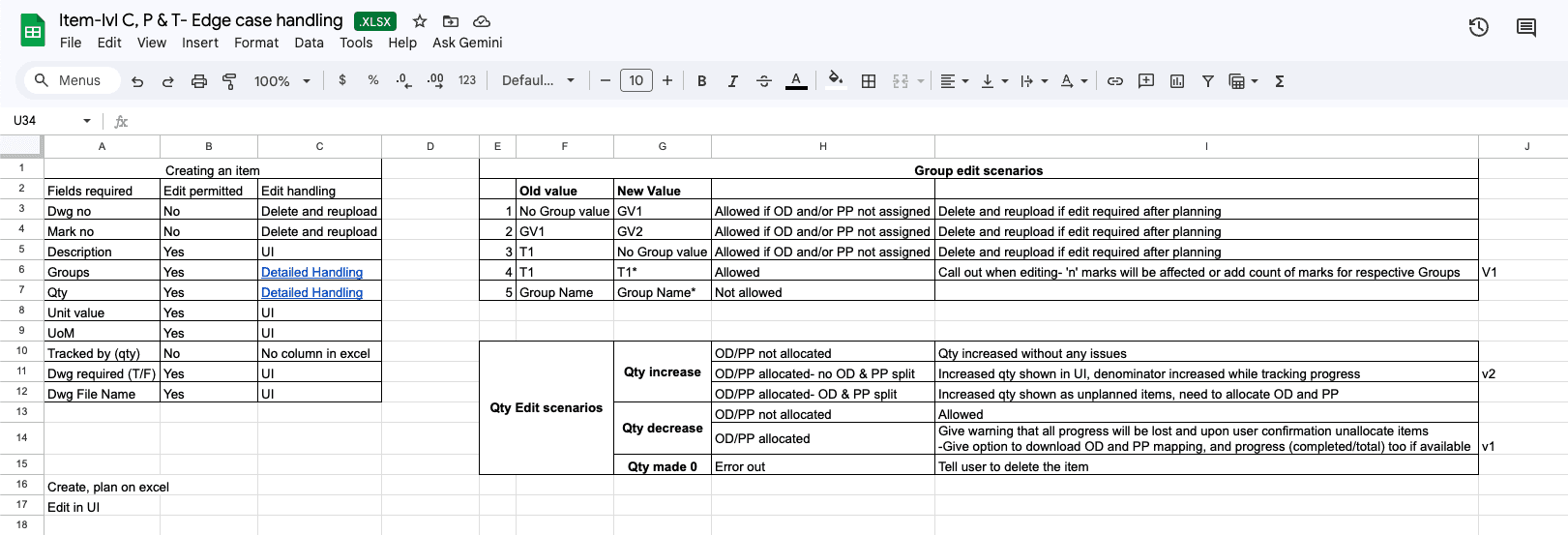
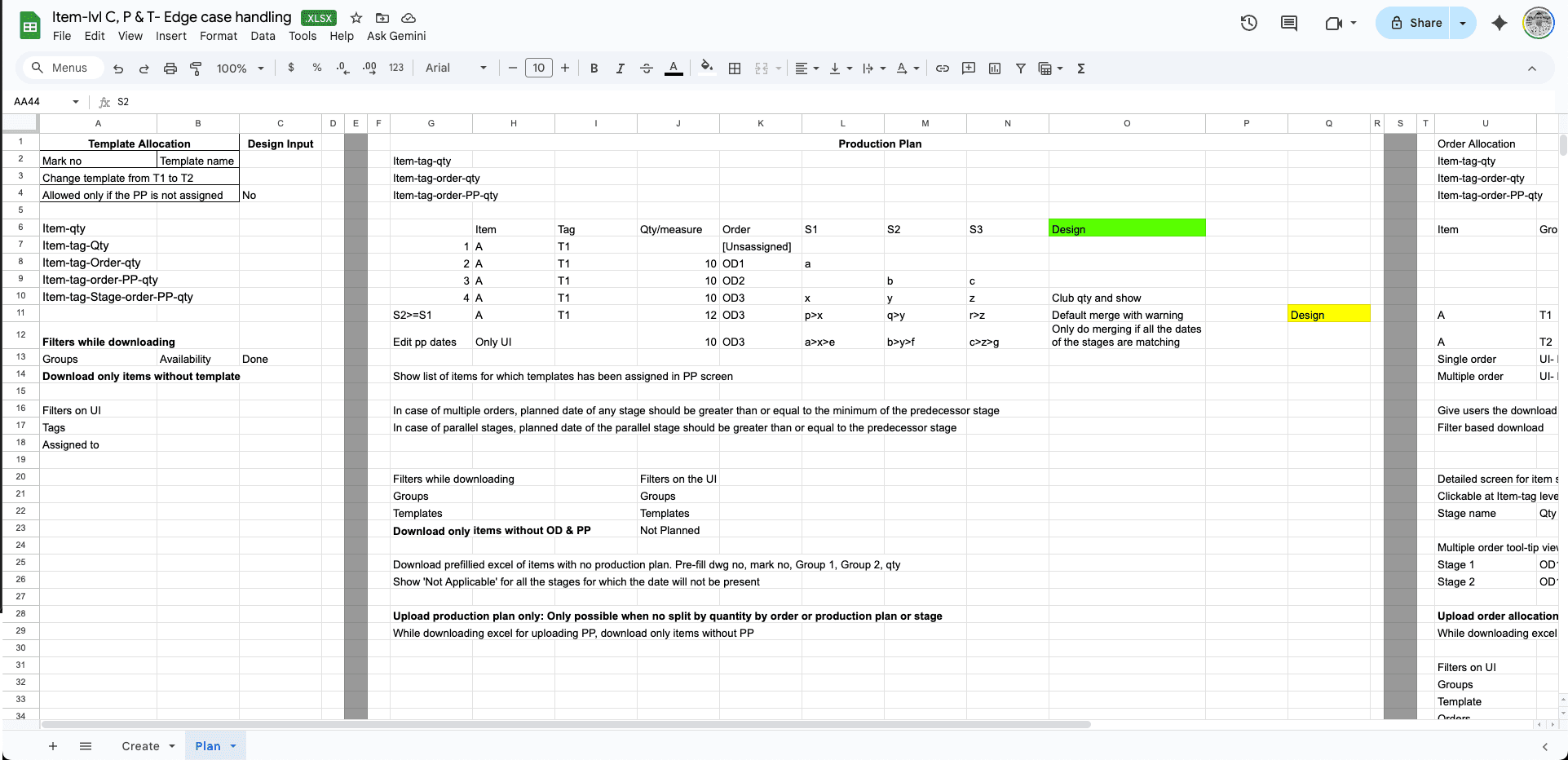
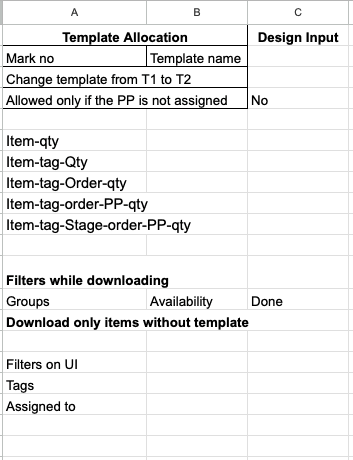
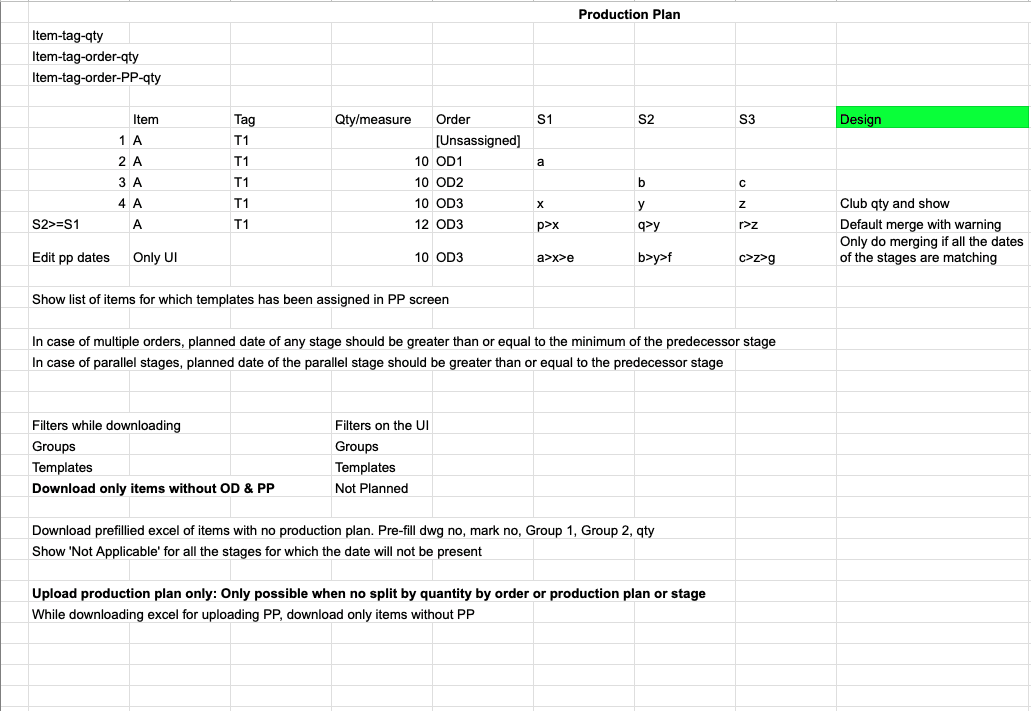
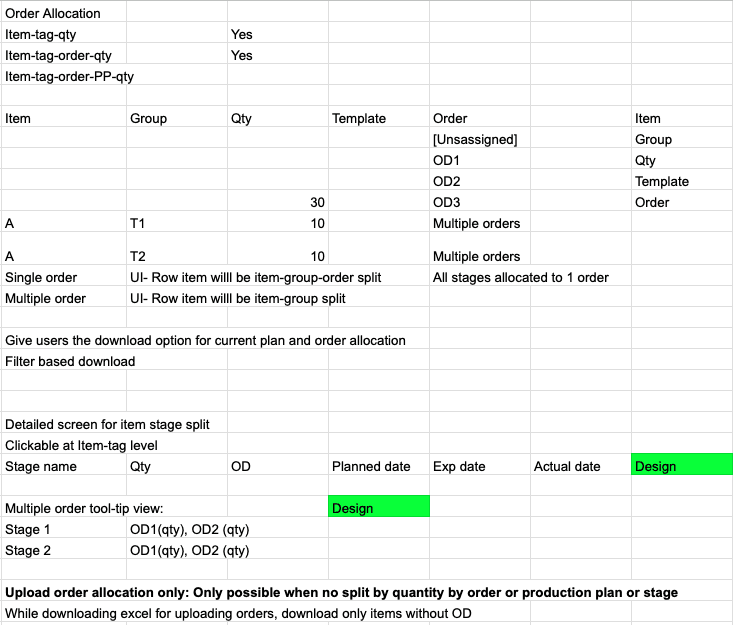
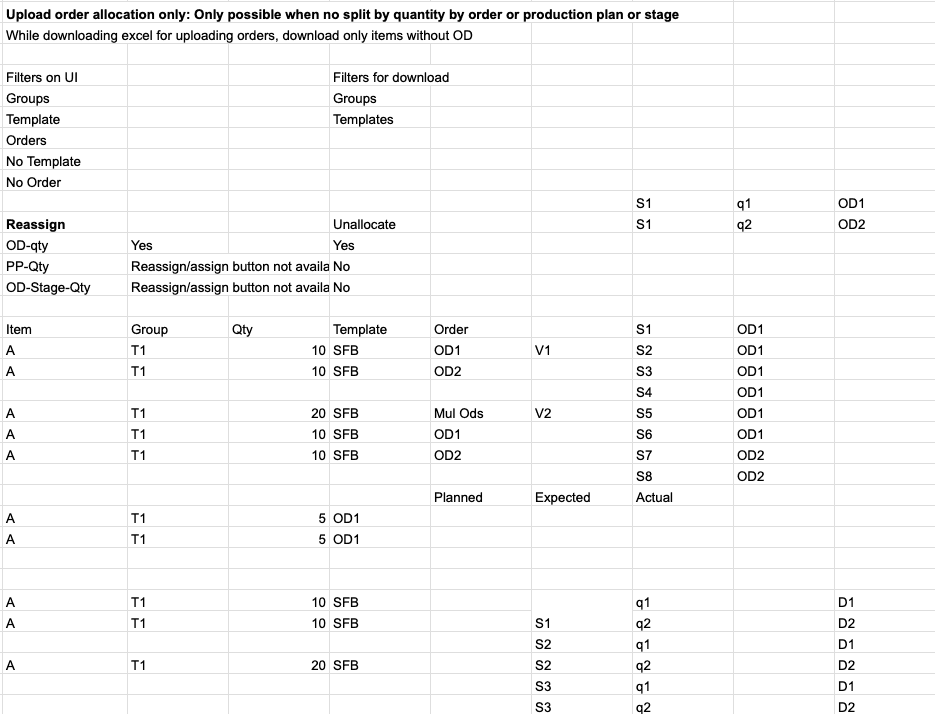
Since our components were already established, we focused on designing behavior, not redrawing UI. The result was a clear direction for a flexible planning model that adapts to both small runs and complex, multi-stage projects.
SYSTEM MAPPING
Connecting planning logic across modules
To align multiple teams, I mapped how information moved across Create, Plan, Track, and Report modules.
Using Excel-based flow diagrams, we visualized how supplier data, order progress, and production status needed to sync in real time.
This revealed where dependencies created delays and guided us toward a cleaner, scalable system structure that matched how planners actually worked.
INTERACTION PRINCIPLES
Designing clarity within known patterns
Instead of creating new UI components, we refined how existing patterns guided decision-making. The goal was to make planning more intuitive by improving hierarchy, context, and pacing within familiar layouts.
We defined three principles that shaped every interaction:
Show relevant context before any action.
Keep forms light and progressive
Let users expand complexity only when needed
These principles kept the experience consistent and predictable across ZISO 2.0 while supporting faster, clearer decisions.